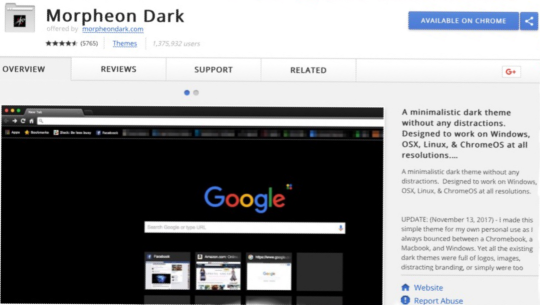
Tuesday, July 20, 2021

How Dark Themes Improve Productivity and Reduce Eye Strain

Bright, white backgrounds can cause eye strain and fatigue, especially when you stare at screens for hours. Dark themes provide a more subdued visual experience by reducing glare and minimizing distractions. They also cut down on blue light and help your eyes relax.

The productivity benefits go beyond comfort. Switching between apps and lighting conditions can be jarring; a consistent dark theme keeps your environment calm and helps you focus on your work instead of fiddling with brightness controls. Professionals who work late at night, gamers, and anyone who spends long stretches in front of a monitor appreciate how dark modes make it easier to stay engaged.

Dark themes also look sleek and professional. Modern apps and websites with dark backgrounds convey sophistication and help content stand out. For devices with OLED or AMOLED screens, dark themes can even save a bit of battery life by turning off pixels.

One popular option is Morpheon Dark, which transforms your browsing experience into a sleek, dark interface that’s easy on the eyes. Whether you’re working, gaming, or just casually browsing, dark themes can make your screen time more pleasant. Try different themes and discover how a simple change in color scheme can make a big difference in your daily routine.

Sunday, November 1, 2020

Top 5 Dark Themes for Chrome: Why Morpheon Dark Stands Out

Dark themes aren’t just a trend; they help reduce eye strain and make browsing more comfortable. Over the years, many themes have come and gone, but a few stand out. Here are five of the most popular dark themes for Chrome:

  1. Morpheon Dark – Our own theme blends sleek minimalism with high contrast and subtle accents. It works across all platforms and versions of Chrome.
  2. Just Black – Google’s official dark theme. Simple, clean, and perfect if you want a no‑frills dark look.
  3. Material Dark – Inspired by Material Design, this theme offers bold colors and a modern feel.
  4. Hacker Vision – An extension that inverts colors on web pages, great for those who want a fully dark browsing experience.
  5. Dark Reader – A powerful extension that applies dark styling to every site you visit, with customization options.

While each of these has its strengths, Morpheon Dark stands out because it’s lightweight, balanced for readability, and updated regularly based on user feedback. We’ve been iterating on this theme since 2016, and it’s trusted by millions of users. If you haven’t tried Morpheon Dark yet, consider this your friendly nudge. It’s like the little black dress of Chrome themes—versatile, stylish, and goes with everything.

Stay tuned for more tips and updates!

Sunday, August 4, 2019

Thank you all!


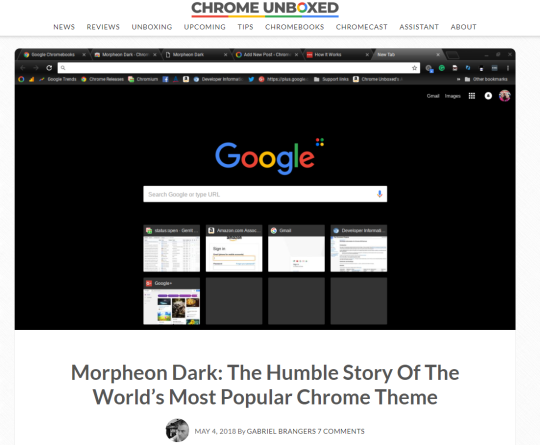
image

I am humbled once again that the story behind my theme was found interesting enough to be told to all the readers of ChromeUnboxed.
And to all of you whom are reading this, I assure you all that I will continue to support and update my theme indefinitely and will never allow any financial incentives coerce me into take advantage of my users.
You can find Morpheon Dark on the Google Chrome Store or by clicking here.

Sunday, March 24, 2019

Wow...


Wow. I made this simple theme for my own personal use as I always bounced between a Chromebook, a Mac, and Windows machines. At the time, all the existing dark themes were terrible. After building it, I published it only so I could sync it between my devices.


When I realized a few months ago just how many people have been using my theme - needless to say I was completely blown away. I have read the feedback and the reviews - and am planning on ongoing support for this theme apparently loved by so many people! As of April 2018, this theme has over 1.8 million active users - and is the most actively used Google Chrome theme in the world!


Again - I am completely humbled here… thanks SO MUCH for all the feedback (both positive and “constructive”). While I assure you the original theme will remain as-is (despite bug fixes & updates) due to it’s fanbase; I can assure you I also plan to develop new adapted versions to address feature or design requests soon. Feel free to contact me at the address below with anything you need, and thanks again for the support!


A special thanks to Ramon S. and Scott B. Without their honest input & feedback, I would have never created this theme.


-Jeremy (j@morpheondark.com)


P.S. Despite many attempts to be coerced, I refuse to try to monitize on something that I know is only popular BECAUSE of it’s simplicity and minimalism. However, if anyone out there feels inclined to show their appreciation, you can donate any amount directly to me here. (Even the smallest amount is incredibly appreciated.)

http://cash.me/$jeremybean

Tuesday, January 15, 2019

Behind the Scenes: The Journey of Creating Morpheon Dark

Hello, dark theme enthusiasts! In this post, I'm pulling back the curtain to tell the story of how Morpheon Dark came to life. It started as a personal project when I couldn't find a dark theme that balanced contrast and usability. After hours of tweaking colours and testing readability, Morpheon Dark was born to give your browser a sleek, modern look. Over the years, the theme has evolved thanks to feedback from our amazing users. I've refined accent colours, updated icons, and ensured compatibility with the latest versions of Chrome. Each update is guided by your suggestions, so keep them coming. If you have ideas for future improvements or features you'd love to see, drop a comment or reach out via the support link. Together we can continue to make Morpheon Dark the best dark theme on the web. Plus, by reading this post you just helped my caffeine fund—thanks! :)

Wednesday, August 1, 2018

Morpheon Dark: Frequently Asked Questions

 You’ve got questions, we’ve got answers! Over the years we’ve received countless emails and comments about Morpheon Dark. Here are some of the most frequently asked questions.

Q: What is Morpheon Dark? A: Morpheon Dark is a dark theme for Google Chrome that replaces the browser’s default light UI with a clean, modern dark appearance. It’s designed to be easy on the eyes and to complement websites that support dark mode.

Q: How do I install Morpheon Dark? A: Visit the Morpheon Dark listing on the Chrome Web Store and click “Add to Chrome.” Once installed, the theme will automatically apply. You can remove it anytime via your Chrome settings.

Q: Does Morpheon Dark work on all operating systems? A: Yes! The theme works wherever Chrome does—Windows, macOS, Linux and ChromeOS.

Q: Will it slow down my browser? A: Not at all. Morpheon Dark is lightweight and doesn’t include any scripts. It simply changes the appearance of your browser.

Q: How can I customize the theme? A: Morpheon Dark is intentionally minimal; it doesn’t offer built-in customization. However, you can pair it with a dark new-tab extension, adjust Chrome’s accent colors or use extensions like Dark Reader to darken web pages.

Q: How can I send feedback or suggest improvements? A: Leave a comment on this blog or reach out via the Chrome Web Store listing’s support tab. We read every piece of feedback and regularly update the theme based on user suggestions.

If you have a question that isn’t answered here, feel free to leave it in the comments and we’ll add it to the list!

Is Dark Mode Good for Your Eyes and Battery in 2025?

There’s been a ton of chatter about dark mode making your eyes happier and your battery last forever. So what’s the reality as we head into ...